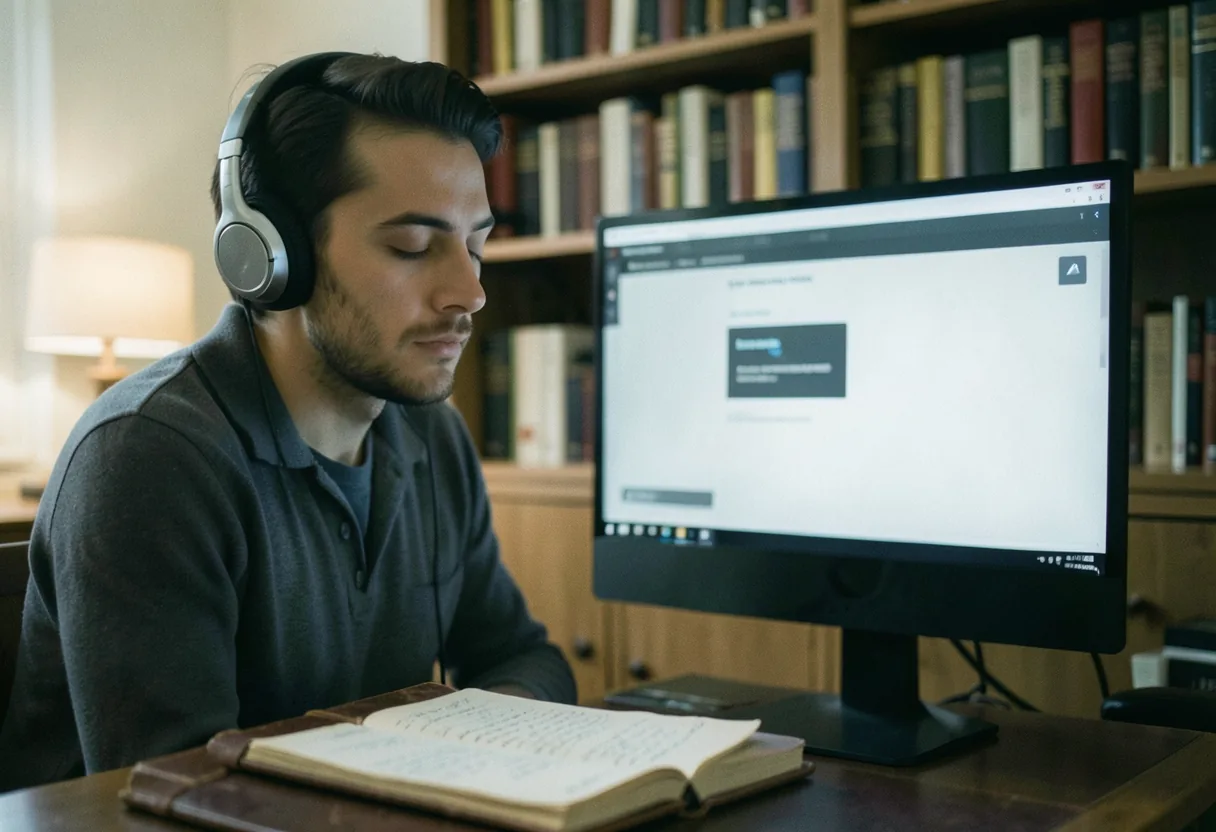
Read Aloud: Best Tools for Digital Consumption
Chad Sherman · on 24 July 2026 · 8 min read · Last reviewed 24 July 2026
Read aloud is a process that uses assistive speech software to convert written text into spoken words, enabling digital consumption through auditory means. The bottom line: It's like having a personal narrator that reads your digital content aloud, freeing your eyes and enhancing accessibility.
- Read aloud tools use text-to-speech (TTS) technology to vocalize written content.
- They are widely used for accessibility, multitasking, and learning support.
- Most modern devices and platforms have built-in read aloud features.
- According to the World Health Organization, at least 2.2 billion people worldwide have near or distant vision impairment, making read aloud tools invaluable.
How do read aloud tools work?
Read aloud tools process text data and convert it into synthesized speech using advanced algorithms. Put simply: They translate digital text into audible language, mimicking human speech patterns.
- They rely on text-to-speech synthesis engines.
- High-quality tools offer natural-sounding voices.
- They can adjust speech rate, pitch, and volume.
- NaturalReaders, for example, offers over 180 natural and realistic text-to-speech voices.

What are the main types of read aloud tools?
The main types of read aloud tools include built-in software, web-based applications, and dedicated apps. At its core: They all perform the same function but cater to different user needs and preferences.
| Type | Features | Best For |
|---|---|---|
| Built-in software | Pre-installed, basic functionality | Casual users, general purpose |
| Web-based applications | Cloud-based, cross-device access | Multi-device users, collaborative work |
| Dedicated apps | Advanced features, customization | Power users, specialized needs |
Built-in software: Accessibility features
Built-in read aloud tools are often found in operating systems and e-readers. In plain terms: They are the simplest way to access read aloud functionality without additional installations.
Most operating systems, such as Windows and macOS, have built-in read aloud features. For example, Windows has a built-in screen reader called Narrator, and macOS has VoiceOver. E-readers like Amazon Kindle also offer text-to-speech functionality. These tools are typically free and easy to use, making them ideal for casual users who need basic read aloud capabilities. They may lack advanced features and customization options available in dedicated apps.
Web-based applications: Cross-device accessibility
Web-based read aloud applications offer cloud-based solutions. Here is the gist: They provide cross-device accessibility and often come with additional features like cloud storage and collaboration tools.
Web-based read aloud tools like Text to Speech Read Aloud: Smooth Integration are accessible from any device with an internet connection. Platforms such as NaturalReaders offer web-based solutions that allow users to upload documents and have them read aloud with natural-sounding voices. These tools are best for users who need to access their read aloud features across multiple devices or collaborate with others. They may require a stable internet connection and could have subscription fees for premium features.
Dedicated apps: Advanced customization
Dedicated read aloud apps offer advanced features and customization. The short version: They cater to power users who need more control over their read aloud experience.
Apps like Proloquo2Go and TouchChat by Saltillo are designed for users with specific needs, such as non-verbal individuals or those with learning disabilities. These apps offer advanced customization options, including different voice options, speech rates, and vocabulary sets. They are best for users who require specialized features and are willing to invest in a dedicated tool. However, they often come with a higher cost and may have a steeper learning curve.
How to choose the best read aloud tool?
To choose the best read aloud tool, consider your specific needs and preferences. To start: Evaluate the features, ease of use, and cost of each option.
- Identify your primary use case (e.g., accessibility, multitasking, learning support).
- Evaluate the features offered by each tool (e.g., voice quality, customization options).
- Consider the ease of use and compatibility with your devices.
- Compare the costs and subscription models.
For example, if you need a simple solution for occasional use, built-in software may suffice. If you require advanced features and customization, a dedicated app like Proloquo2Go might be more appropriate. Web-based applications offer a middle ground, providing flexibility and additional features without the need for installation.
AAC apps for non-verbal communication
AAC apps, or Augmentative and Alternative Communication apps, are designed to help non-verbal individuals communicate effectively. Put simply: They provide a voice for those who cannot speak, using text-to-speech technology.
| AAC App | Features | Cost |
|---|---|---|
| Proloquo2Go | Customizable vocabulary, natural-sounding voices, symbol support | One-time purchase of $249.99 |
| TouchChat by Saltillo | Pre-set vocabulary, multi-user support, voice recording | One-time purchase of $199.99 |
| Grid by SmartBox | Customizable grids, predictive text, eye gaze support | Subscription-based, starting at $99 per year |
How to get an AAC device for free?
Obtaining an AAC device for free is possible through various programs and resources. In plain terms: Explore government programs, non-profit organizations, and insurance coverage options.
- Research government programs like Medicaid that may cover AAC devices.
- Look into non-profit organizations that provide free or low-cost AAC devices.
- Check with your insurance provider to see if they cover AAC devices.
- Contact local schools or educational institutions that may have AAC devices available.
For example, the What Is the Main Idea of a Passage: Comprehension Guide AAC curriculum program offers resources and support for individuals needing AAC devices. Additionally, organizations like the American Speech-Language-Hearing Association (ASHA) provide information on funding and resources for AAC devices.
What is the most popular AAC app?
The most popular AAC app is Proloquo2Go, known for its customizable vocabulary and natural-sounding voices. At its core: It is widely used by non-verbal individuals and speech-language pathologists alike.
Proloquo2Go offers a wide range of features, including customizable vocabulary sets, natural-sounding voices, and symbol support. It is designed to meet the communication needs of individuals with various disabilities. The app is available for both iOS and Android devices and has received positive reviews from users and professionals in the field.
How much does an AAC device cost?
An AAC device's cost varies depending on the type and features. Here is the gist: Prices can range from free to several hundred dollars.
Basic AAC apps like TouchChat by Saltillo may cost around $199.99 as a one-time purchase. More advanced apps like Proloquo2Go can cost up to $249.99. Dedicated AAC devices, such as those provided by companies like Tobii Dynavox, can cost several thousand dollars. The cost often depends on the level of customization, voice quality, and additional features offered by the device.
What is the speech assist app for free?
A free speech assist app is a tool that helps individuals with speech impairments communicate effectively without cost. The short version: These apps often offer basic features and may have limitations compared to paid versions.
Free speech assist apps like <a href="https://en.wikipedia.org/wiki/Reading">reading</a> out loud text offer basic text-to-speech functionality and simple communication boards. While they may not have the advanced features of paid apps, they can be a valuable resource for individuals who need basic communication support. It's important to explore the features and limitations of free apps to ensure they meet your specific needs.
Read aloud tools for learning support
Tools for learning support that read aloud cater to students and educators, enhancing comprehension and retention. In plain terms: They transform written educational content into spoken words, making learning more accessible.
Tools like summary answer are specifically designed for educational purposes. They can read textbooks, articles, and other learning materials aloud, helping students with reading difficulties or learning disabilities. These tools often include features like adjustable reading speeds, highlighting of spoken text, and the ability to save readings for later review. Educators can also use these tools to create audio versions of lectures or assignments, making content more accessible to all students.
According to a study by the National Institute of Child Health and Human Development, using read aloud tools can improve reading comprehension and fluency in students. These tools are particularly beneficial for students with dyslexia or other reading disorders, as they provide an alternative way to consume written information. Additionally, read aloud tools can support language learning by allowing students to hear correct pronunciation and intonation.
| Learning Support Tool | Features | Best For |
|---|---|---|
| Speechify | Web browser extension, adjustable reading speeds, highlighting | Students with reading difficulties |
| Voice Dream Reader | Customizable voices, OCR for printed material, sync with cloud services | Educators and students |
| Learning Ally | Audiobooks for students with dyslexia, human-narrated content | Students with learning disabilities |
Read aloud tools for language learning
Reading aloud aids language learning by enhancing pronunciation, vocabulary, and listening skills. The bottom line: These tools provide an interactive way to practice and learn new languages.
Duolingo and Babbel are tools that integrate read aloud features to help users practice speaking and listening. These tools often include exercises where users can hear words and phrases spoken aloud, repeat them, and receive feedback on their pronunciation. For example, Duolingo's speech recognition technology allows users to practice speaking and receive instant feedback. Similarly, Babbel offers interactive dialogues with native speakers, helping users improve their conversational skills.
| Language Learning Tool | Features | Best For |
|---|---|---|
| Duolingo | Speech recognition, interactive exercises, gamified learning | Beginner to intermediate learners |
| Babbel | Interactive dialogues, cultural insights, speech practice | Intermediate to advanced learners |
| Rosetta Stone | Immersion method, speech recognition, live tutoring | All skill levels |
Takeaway
Selecting an appropriate read aloud tool hinges on individual requirements and tastes. Evaluate aspects such as usability, personalization features, and expenditure during your selection process. Non-verbal people may find AAC apps like Proloquo2Go and TouchChat by Saltillo beneficial for communication. Investigate complimentary choices and materials to uncover the ideal fit for your circumstances. Familiarity with accessible tools and their functionalities can boost digital content engagement and accessibility.
Frequently asked questions
What features should I prioritize in a read-aloud tool for eBooks?
Prioritize natural-sounding voices, adjustable reading speeds, and the ability to highlight text as it's read. Tools like NaturalReader offer these features, enhancing comprehension and accessibility. Some apps also support PDFs and web articles, making them versatile for various content types.
Can read-aloud tools help with language learning?
Yes, tools like Voice Dream Reader support multiple languages and accents, aiding pronunciation and listening skills. They often include dictionaries and text-to-speech features, which are invaluable for learners. For instance, switching between languages can help reinforce vocabulary and grammar.
Are there free read-aloud tools that are effective?
Balabolka is a solid free option, offering customizable voices and speed controls. While it lacks some advanced features of paid tools, it’s great for basic needs. Another free tool, Read Aloud by Texthelp, integrates with browsers for quick access to web content.
How do read-aloud tools benefit people with dyslexia?
Tools like Speechify use synthetic voices to read text aloud, reducing reliance on visual decoding. Features like variable speeds and color contrast improvements can significantly ease reading challenges. Many users report improved focus and retention with these tools.
See also: Reading Out Loud Text: Accessibility Features.
Related Reading
See also: Outloud Reader: Browser-Based Audio Solution.